Bringing a fictional hero to life used to require professional illustration skills or a significant budget for commissions. However, the rise of generative technology has made it possible for anyone to create stunning ai character portraits in a matter of seconds. Whether you are a novelist needing a visual reference for your protagonist or a tabletop gamer looking for the perfect token, these tools offer an accessible way to visualize the inhabitants of your imagination.
Modern image generators have evolved far beyond simple sketches, now offering the ability to capture specific emotions, intricate costumes, and unique facial features. By mastering a few core techniques, you can transform a vague concept into a high-resolution masterpiece that maintains consistency across your entire project.
In this guide, we will explore the best AI tools currently available for character design and provide actionable tips for writing effective prompts. From maintaining visual consistency to refining the final details through post-processing, you will learn everything you need to build a professional-grade gallery for your creative works.
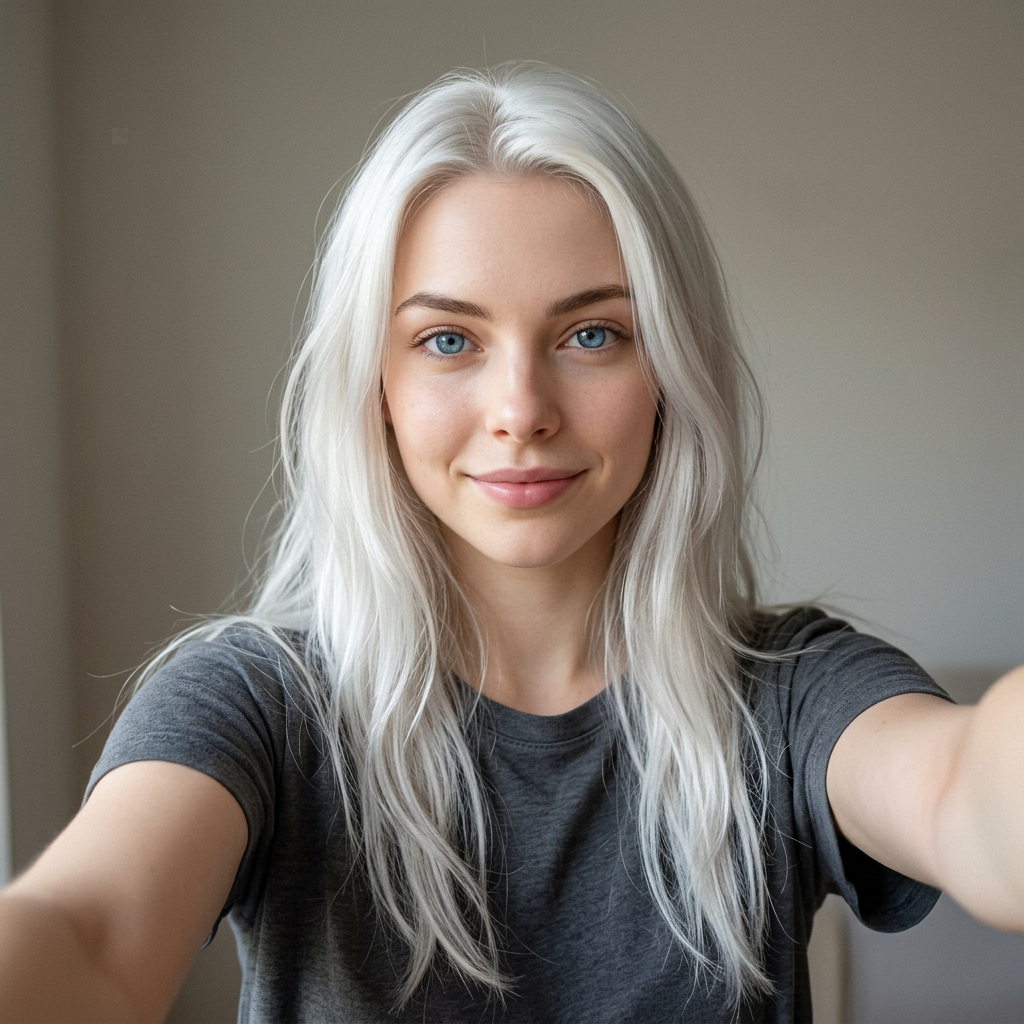
This is the kind of ordinary photo you start with. Every hero on the home page gallery began as a selfie exactly like this one.
What are ai character portraits and why are they trending?
AI character portraits are digital images of fictional personas created using machine learning models and neural networks. Unlike traditional digital painting, which requires manual brushwork, these portraits are generated from text descriptions or reference images. By analyzing millions of existing artworks, the AI learns to interpret specific traits—like "elven features," "cyberpunk aesthetic," or "grumpy demeanor"—and translates them into high-quality visual representations in seconds.
The sudden surge in popularity of these portraits stems from how they have democratized visual storytelling. For years, writers and tabletop gamers had to rely on generic stock photos or expensive custom commissions to see their characters come to life. Now, anyone with a creative vision can produce professional-grade visuals, making the world-building process more immersive and tactile.
This trend has fundamentally changed how several creative communities operate:
- TTRPG Players: Dungeons & Dragons enthusiasts use AI to create consistent tokens and handouts for their campaigns, helping players stay engaged with the narrative.
- Indie Authors: Writers use these images to visualize their protagonists during the drafting phase or to create promotional social media content.
- Concept Artists: Professionals use AI as a "mood boarding" tool to quickly iterate on color palettes and silhouettes before starting a final piece.
Ultimately, ai character portraits are trending because they bridge the gap between imagination and execution. They allow creators to bypass the technical hurdles of drawing, letting them focus entirely on the narrative depth and personality of their characters.
Which AI image generators are best for character design?
Choosing the right tool is the first step toward creating high-quality ai character portraits. While there are dozens of apps on the market, three industry leaders stand out for their ability to handle complex anatomy and the specific needs of character designers.
Midjourney
Midjourney is widely considered the gold standard for aesthetic quality. It excels at lighting, texture, and cinematic flair, making it ideal for high-fantasy or sci-fi concepts. While it offers incredible "out of the box" results, its greatest strength for character creators is the "Character Reference" (--cref) feature, which allows you to maintain visual consistency across different poses and environments.
DALL-E 3
If you prioritize ease of use and prompt adherence, DALL-E 3 (integrated into ChatGPT) is a strong contender. It is excellent at following specific instructions—like a character holding a very specific item or wearing a complex outfit. However, it can sometimes feel a bit more "stylized" or "plastic" compared to other engines, and it offers fewer manual controls for fine-tuning anatomy.
Stable Diffusion
For creators who want total control, Stable Diffusion is the professional’s choice. Because it can be run locally, you can use specialized tools like ControlNet to lock in specific poses or LoRAs to train the AI on your own art style. It has a steeper learning curve, but it offers the most flexibility for fixing anatomical errors or regenerating specific parts of a portrait.
Key considerations for your workflow:
- Consistency: Midjourney’s --cref tag is the easiest way to keep a face the same.
- Anatomy: Stable Diffusion’s "Inpainting" allows you to fix warped hands or limbs manually.
- Speed: DALL-E 3 is the fastest for brainstorming and rapid iterations.
- Artistic Style: Midjourney tends to produce more "painterly" and sophisticated textures by default.
How do you write effective prompts for realistic faces?
To get the best results when generating ai character portraits, you have to think like a photographer or a portrait artist. The AI needs more than just a name or a vibe; it requires specific technical cues to understand how light hits the skin and how the muscles in a face move. Instead of just asking for a "realistic man," describe the texture of the skin, the depth of the eyes, and the specific environment surrounding the subject.
The anatomy of a high-quality prompt usually follows a specific hierarchy: Subject > Action/Emotion > Lighting > Technical Specs. By breaking your prompt down this way, you ensure the AI doesn't overlook the fine details that make a face look human rather than plastic.
Key Elements for Realistic Portraits
- Lighting Cues: Use terms like "Rembrandt lighting," "cinematic rim lighting," or "soft golden hour glow." Lighting defines the bone structure and adds depth to the character's features.
- Facial Micro-expressions: Instead of "happy," try "a subtle, knowing smirk" or "eyes filled with weary determination." This adds a layer of storytelling to the portrait.
- Physical Details: Mention specifics like "weathered skin with fine wrinkles," "scattered freckles across the bridge of the nose," or "piercing heterochromatic eyes."
- Camera Settings: Borrow language from photography, such as "85mm lens," "f/1.8 aperture for a blurred background," or "extreme close-up shot" to force the AI to focus on facial textures.
Finally, don't be afraid to use negative prompts if your tool allows them. Explicitly stating you want to avoid "airbrushed skin" or "cartoonish features" can help the AI stay grounded in realism. The goal is to provide enough descriptive "hooks" that the generator can anchor its pixels to realistic human anatomy.
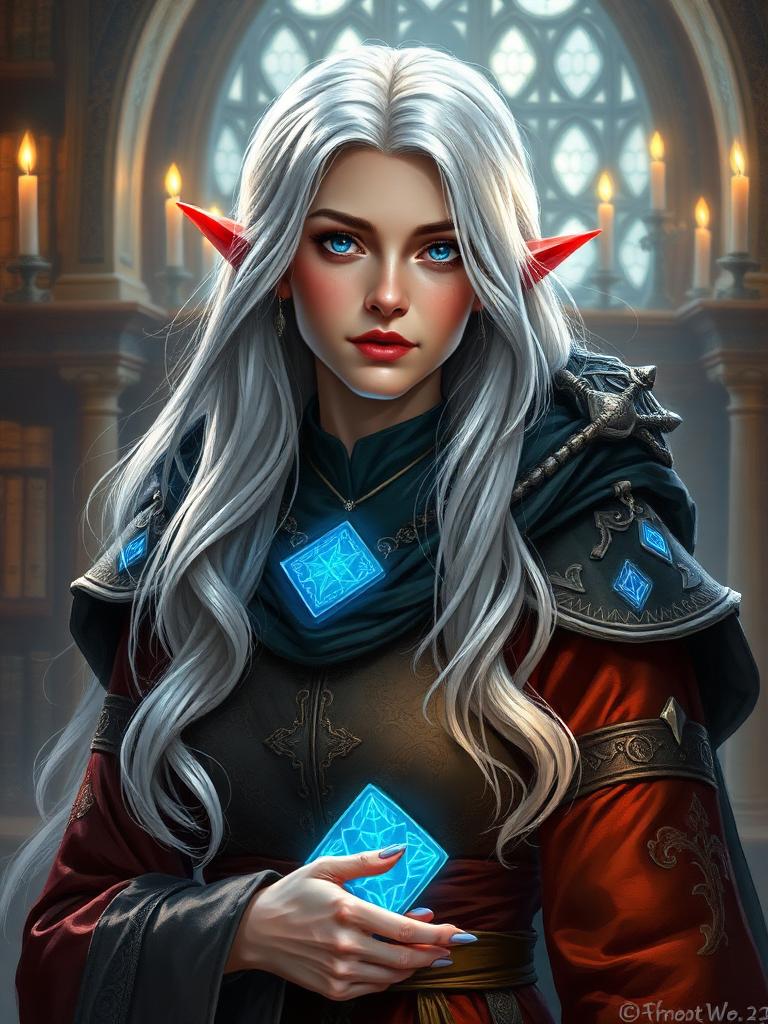
Same face, dropped into cinematic fantasy lighting and costume. See dozens more of these selfie-to-RPG-selfie transformations on the home page.
Can you maintain visual consistency across multiple images?
Maintaining visual consistency is one of the biggest hurdles for creators, but it is entirely possible with the right workflow. When you generate ai character portraits, the AI typically treats every prompt as a new start. To keep your character’s face, hair, and features identical across different scenes, you need to use specific tools that "lock in" their identity.
The most effective way to achieve this is through Character References (CREF) or ControlNet. These features allow you to upload an existing image of your character and tell the AI to use it as a structural blueprint. This ensures that whether your character is wearing armor in a forest or a suit in a city, their bone structure and unique traits remain recognizable.
Pro Techniques for Character Stability
For those using advanced platforms like Stable Diffusion or Midjourney, these methods are the gold standard for consistency:
- Fixed Seeds: Every image has a unique seed number. By reusing the same seed and only changing small parts of the prompt (like the outfit or background), you minimize the amount of random variation the AI introduces.
- LoRA (Low-Rank Adaptation): You can train a small, custom model on a handful of images of your character. Once trained, you can call upon that specific LoRA to generate your character in any pose or style imaginable.
- Consistent Naming: Giving your character a unique, specific name in your prompt—like "a silver-haired warrior named Kaelen with a jagged scar"—helps the AI associate those specific traits together over multiple generations.
By combining these technical controls with descriptive prompting, you can build a cohesive portfolio of images that look like they were drawn by the same artist. This shift from random generation to intentional design is what turns a simple AI tool into a professional character creation suite.
What role does post-processing play in refining your artwork?
Generating ai character portraits is often a two-step process: the initial generation and the necessary cleanup. While modern models are incredibly powerful, they frequently struggle with fine details. Post-processing is the bridge between a "good-enough" image and a professional-grade character portrait that looks intentional and polished.
The most common issues you'll encounter are "AI artifacts"—small glitches like asymmetrical eyes, blurry textures, or the infamous extra fingers. Without post-processing, these flaws can distract from your character's design. By using targeted refinement tools, you can fix these errors without having to re-roll the entire prompt and lose a composition you love.
To get the best results, consider these three essential post-processing steps:
- Upscaling: AI models typically generate images at lower resolutions to save processing power. Using an AI upscaler adds necessary pixel density and sharpens textures, making skin, hair, and armor look crisp.
- In-painting: This is a localized fix where you "paint" over a specific problem area (like a distorted hand) and ask the AI to re-generate only that section. It’s the most effective way to fix facial expressions or limb placements.
- Manual Touch-ups: Sometimes, a quick brush stroke in Photoshop or Procreate is faster than prompting. Manually adjusting the catchlight in an eye or cleaning up a messy line on a garment ensures the portrait feels hand-finished.
Ultimately, refining your work allows you to take creative control back from the algorithm. It ensures your character looks exactly as you envisioned, free from the technical hiccups that often plague raw AI outputs.