Ever wanted to turn your selfie into an RPG hero without commissioning an artist or wrestling with a prompt for six hours? That is exactly what this tool is built for. Upload one clear photo of your face and get back a full pack of cinematic fantasy portraits — you, but as an Elf Wizard weaving arcane light, a Dwarf Paladin in scarred plate, a Tiefling Bard mid-performance in a smoky tavern.
There is no character creator to grind through and no Stable Diffusion setup on your own machine. You pick a race, pick one or more classes, choose a pose, and the AI does the rest. Every portrait keeps your face — same jawline, same eyes, same you — just dropped into a world of dragons, spellbooks, and moonlit forests.
This guide walks through how it works, which combinations look best, and how to get the sharpest results out of a single upload.
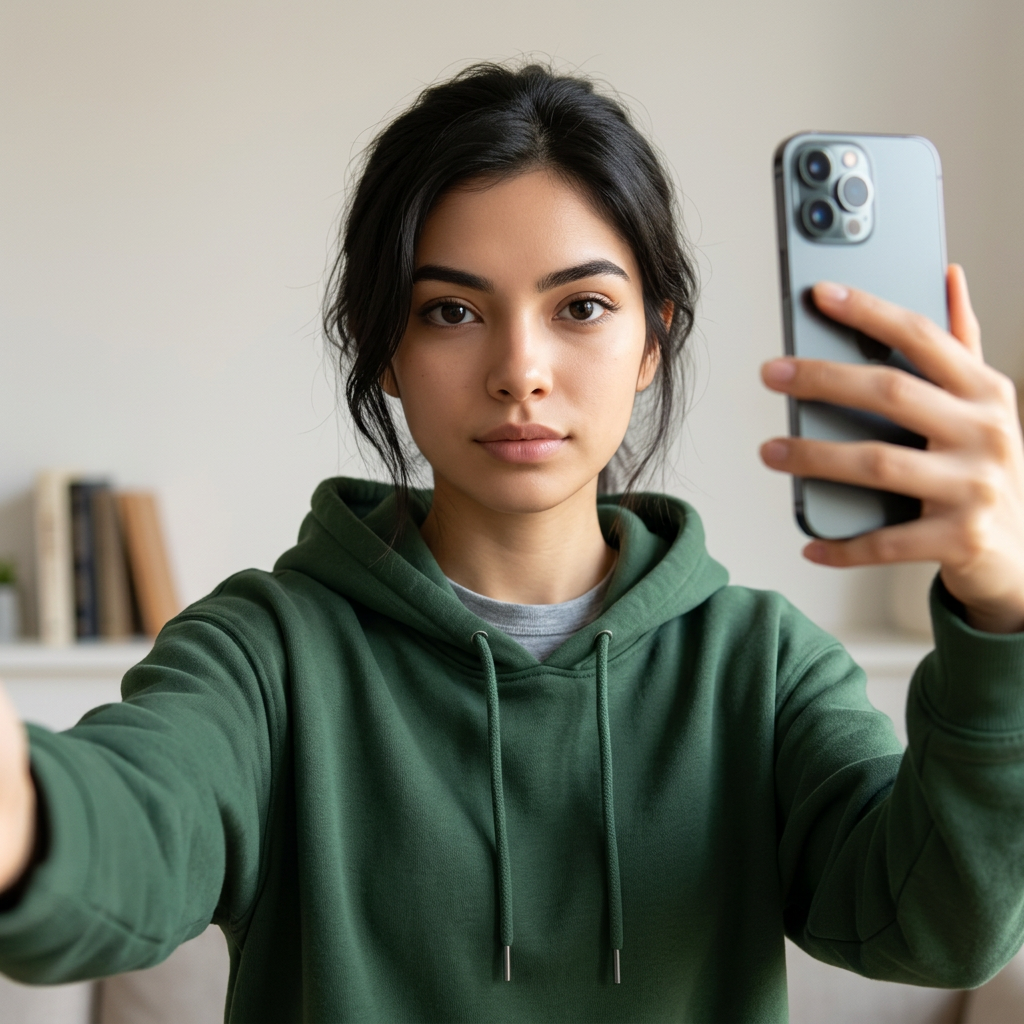
This is the kind of ordinary photo you upload. Every character on the home page gallery started as a plain selfie like this one.
What does it mean to turn your selfie into an RPG hero?
Turning your selfie into an RPG hero means feeding one real photo of your face into an AI model that has been trained to render fantasy character portraits — and getting back images where the character clearly looks like you, not a random adventurer that shares your hair color.
You are not editing your photo. You are not pasting your face onto a stock illustration. The model generates an entirely new painted-style portrait from scratch, using your selfie as the identity reference. That is why the armor, background, lighting, and pose can be anything, while the face stays locked to yours.
- One selfie in, a full pack of portraits out
- You own the outputs and can use them for D&D, profile pictures, or prints
- No prompt engineering, no art skills, no waiting weeks for a commission
How does the AI keep your face recognizable across every portrait?
Consistent identity across a dozen wildly different scenes is the hard part, and it is where most generic image generators fall apart. This tool uses a face-lock pipeline: your selfie becomes a persistent identity anchor that the model references at every step of generation, so a Wizard casting fire in a mountain pass and a Rogue crouched in an alley both look like the same person — you.
That is why the upload quality matters more than the prompt. A single high-quality selfie is far more useful than ten mediocre ones, because the model is not averaging faces; it is locking onto features.
- Front-facing photo, eyes visible, no sunglasses
- Neutral or soft expression works better than a big open-mouth smile
- Even lighting on the face — avoid hard shadows across half your face
Which race and class combinations work best?
Every combination is available, but some pairings just photograph better because their visual language is stronger. If you want portraits that stop the scroll, lean into contrast — a race with a distinctive silhouette and a class with dramatic gear.
- Elf Wizard — pointed ears, long robes, glowing sigils, staff. High contrast, always cinematic.
- Dwarf Paladin — heavy plate, big beard, warhammer, holy light. Weighty and heroic.
- Tiefling Bard — horns, tail, lute or violin, candlelit tavern. Instantly striking.
- Half-Orc Barbarian — tusks, warpaint, axe, snow or blood-soaked battlefield.
- Human Rogue — hooded cloak, dagger, alley or rooftop. Grounded and mysterious.
If you cannot decide, pick two or three classes for the same race and let the pack show you different sides of the same character.
What kind of selfie should you upload?
The AI is doing a lot of work, but it can only lock onto what it can clearly see. A crisp, well-lit, front-facing selfie will beat a fancy studio photo taken at a weird angle every time.
- Angle: face the camera straight on, chin level.
- Lighting: soft daylight from in front of you is ideal. Avoid backlighting.
- Framing: head and shoulders, face taking up a healthy portion of the frame.
- Background: clean and uncluttered helps — but not required.
- Avoid: heavy filters, sunglasses, hats that cover the forehead, group photos, extreme expressions.
If your first pack does not quite look like you, the fix is almost always a better selfie — not a different prompt.
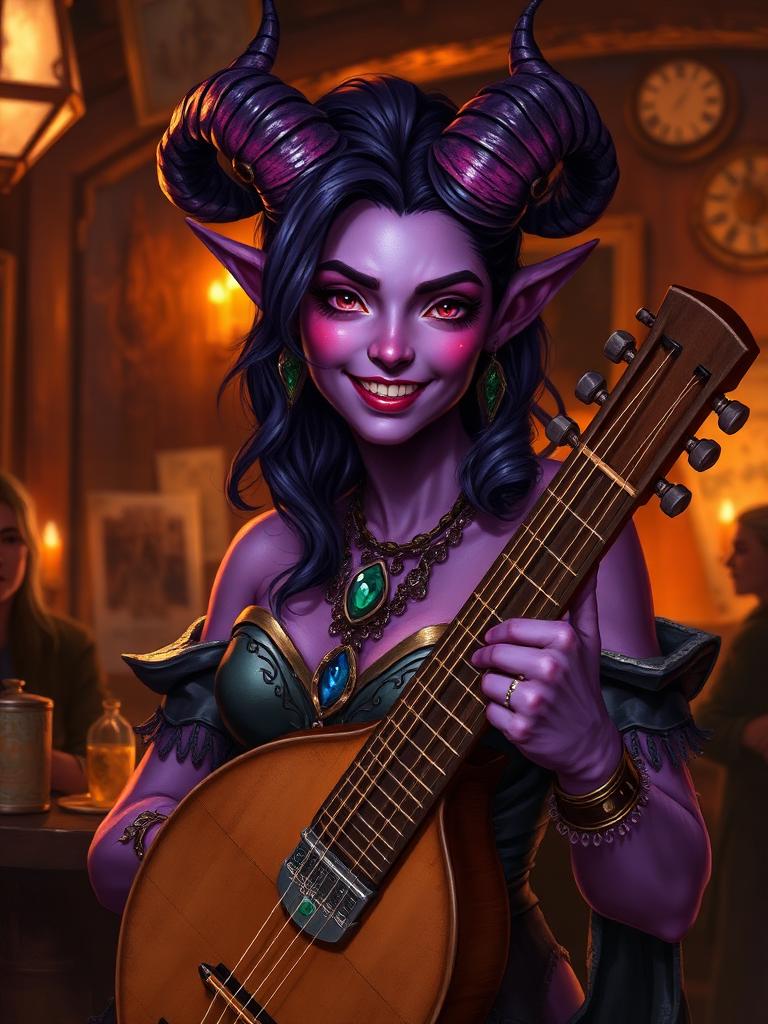
Same face, now a Half-Elf Bard in candlelit tavern light. See dozens more selfie-to-RPG-selfie transformations on the home page.
How can you use your RPG hero portraits?
Once you have the pack, the images are yours. Most people use them for one of a few things:
- D&D and TTRPG characters — drop the portrait into your character sheet, Roll20, Foundry, or D&D Beyond.
- Profile pictures — Discord, Twitch, Steam, socials. A face-locked fantasy portrait is far more memorable than a stock avatar.
- Prints — the resolution is high enough for framed prints or playmats.
- Party portraits — get your whole group to run the same pose and race/class picks and you have a matching adventuring party lineup.
How much does it cost and how fast is it?
Pricing is based on gold — a simple in-app credit. You spend gold per image, so a pack of eight portraits costs eight times the per-image rate. There is no subscription and no hidden per-race surcharge; a Tiefling Bard costs the same as a Human Fighter.
Generation typically finishes in a few minutes per portrait, and everything runs in the background — you can close the tab and come back when you get the email. You can also reorder a character you already made with a single click, so the second pack of the same hero (in a new pose or a different class) is faster than the first.
Ready to see yourself with pointed ears and a spellbook? Start with your race pick and the rest of the forge takes about ninety seconds.